
Overview
Notemage is a full-stack study platform that pairs a OneNote-style notebook editor with AI powered by Claude. Import documents or write your own notes, and Notemage turns them into guided learning paths, flashcards, quizzes, summaries, and an AI tutor, all in one place.
It is currently in active development and will be available as a hosted platform. The repository is public for transparency, not intended for self-hosting.
Learning Paths
The headline feature: point Notemage at a notebook and Claude builds a complete learning path from it, a guided, multi-section curriculum laid out as a skill tree. You move through it one lesson node at a time, and the path keeps track of what you've completed.
Every path splits the material into sections, and each node is a focused lesson drawn from your own notes, so the structure mirrors what you're actually studying instead of a generic syllabus. Paths, flashcards, quizzes, and chats are the four ways to work through any notebook.
Features
Learning Paths
AI turns a notebook into a guided, multi-section skill tree. Work through it one lesson node at a time while the path tracks your progress.
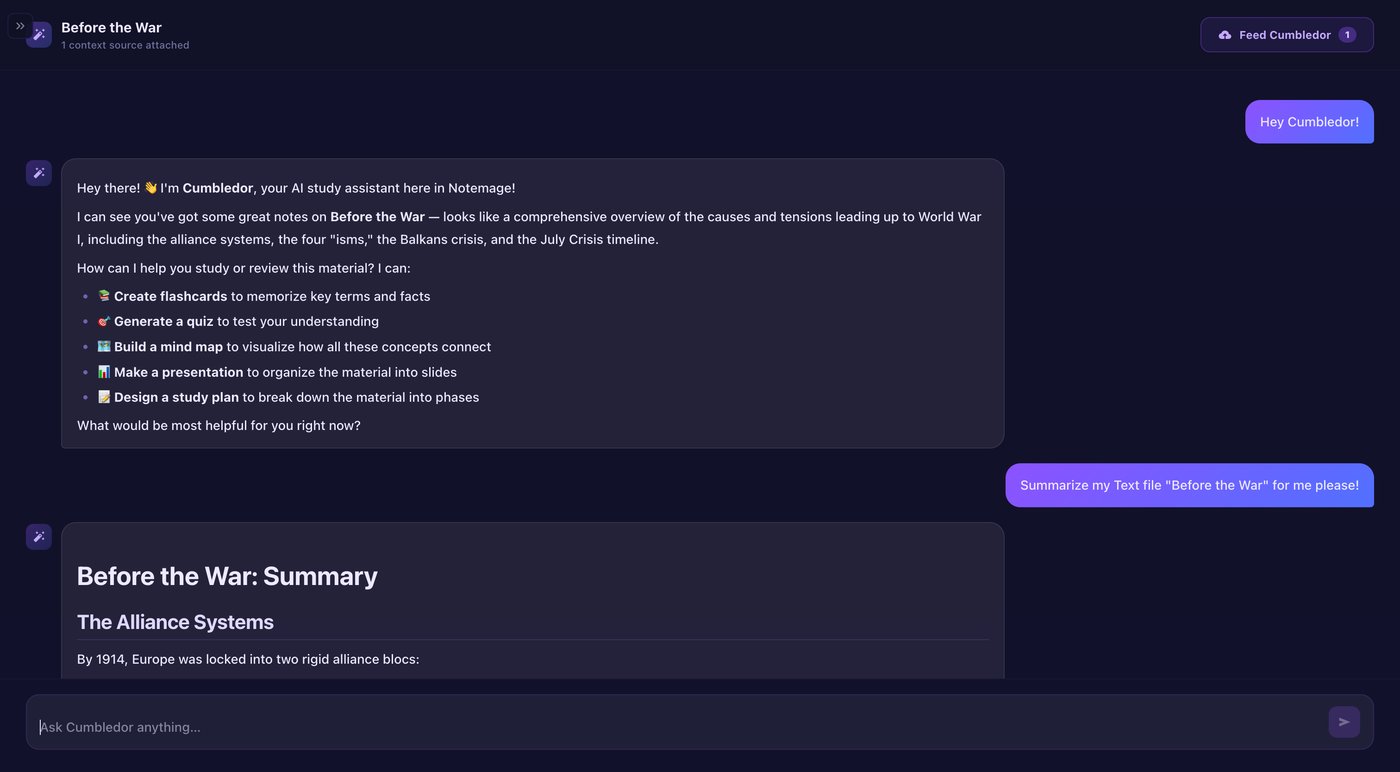
AI Chat
Mage is the built-in AI tutor. Attach notes and documents as context sources and ask anything, answers stay grounded in your material.
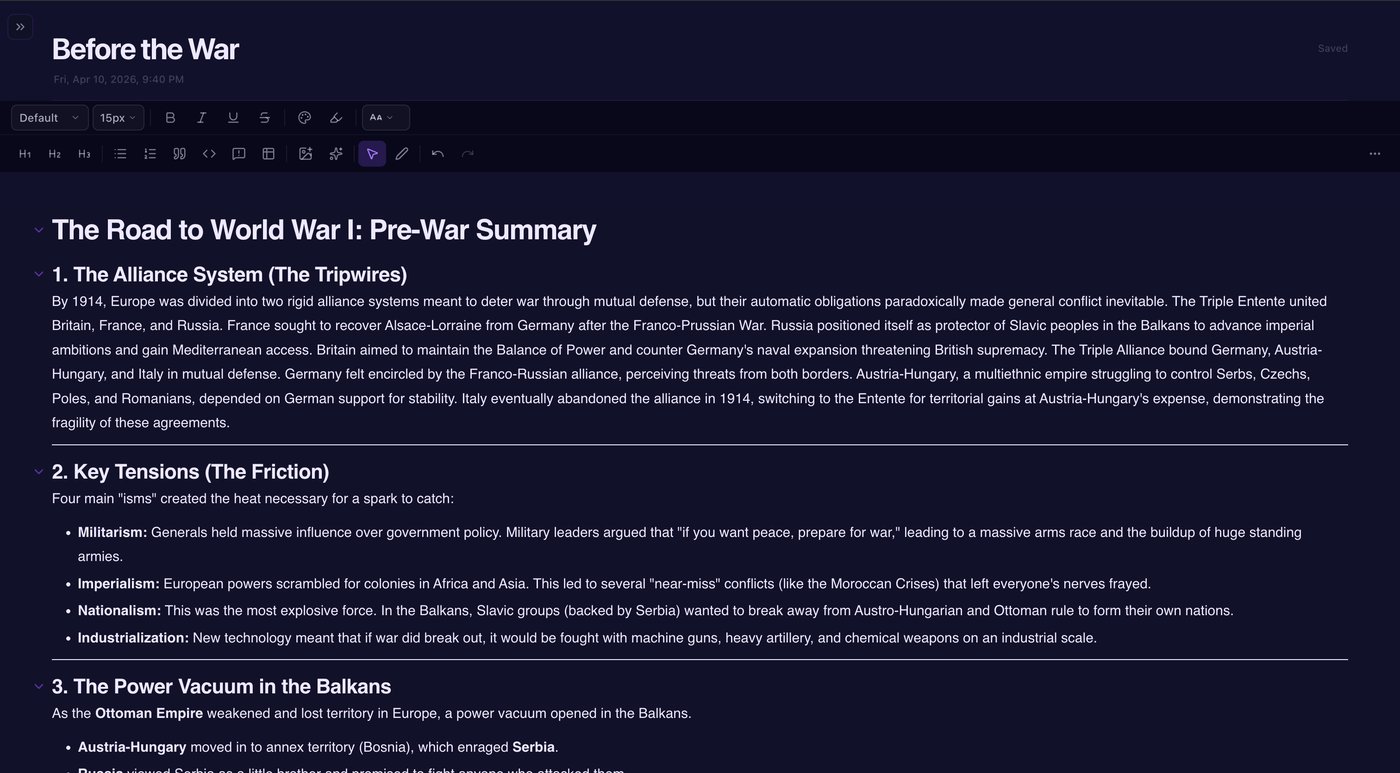
Notebook Editor
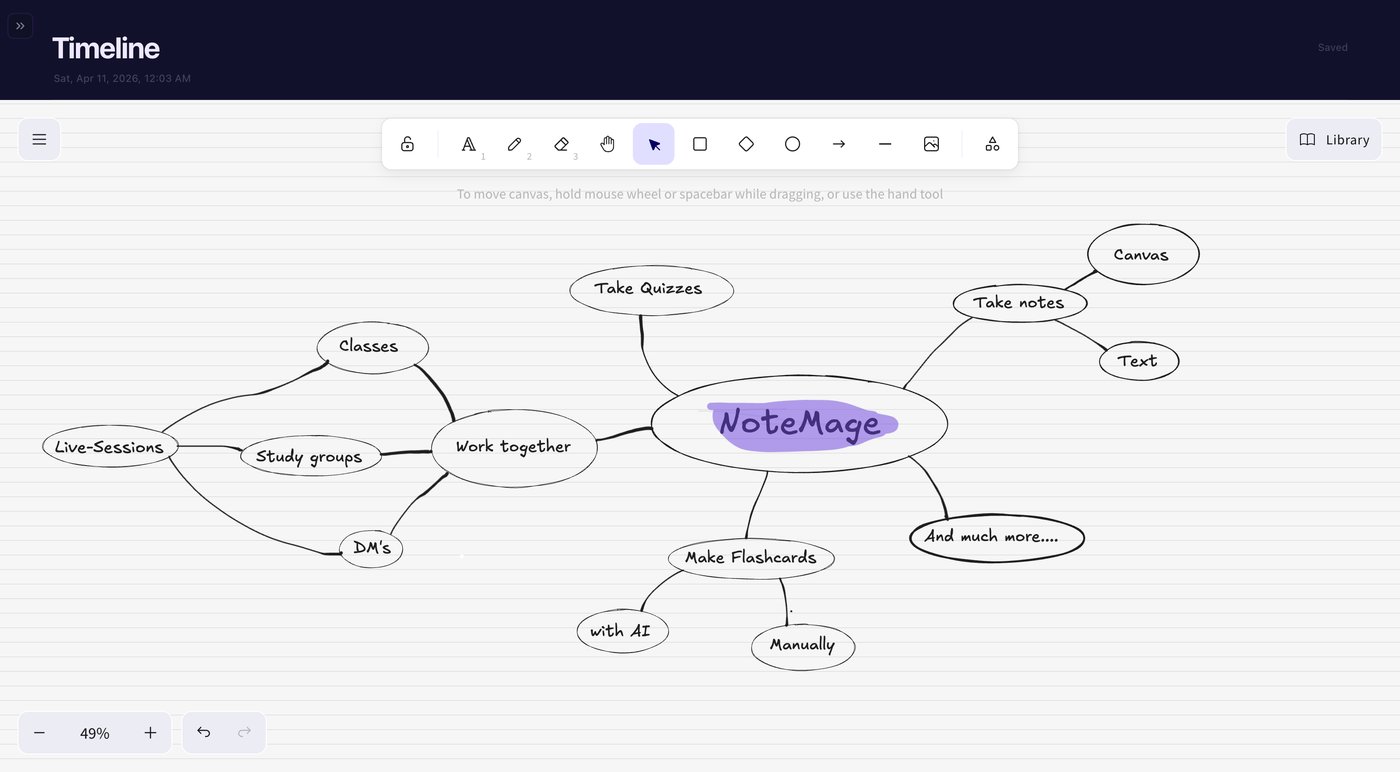
Rich text editor (TipTap) with sections, pages, tables, code blocks, and an infinite canvas via tldraw.
Notebooks & Organization
Group work into folders, notebooks, sections, and pages, tag everything by subject, and search across all of it.
Spaced-Repetition Flashcards
SM-2 algorithm schedules reviews for optimal long-term retention.
Quizzes & Score History
AI-generated quizzes with attempt tracking and progress charts.
Document Import
Upload PDFs, Word docs, PowerPoints, spreadsheets, or paste YouTube URLs for transcripts.
OneNote Import
Import notebooks directly from Microsoft OneNote via the Graph API.
One-Click Summaries
Claude generates brief or detailed summaries of any uploaded document.
Essay Feedback
Grammar, spelling, clarity, and structure analysis powered by Claude.
Study Groups
Create groups, share notebooks, and collaborate with friends.
Exam Countdown & Planner
Add exam dates and let Claude generate a fitted study plan.
Gamification
XP, levels, streaks (with freeze mechanic), and 17 unlockable achievements.
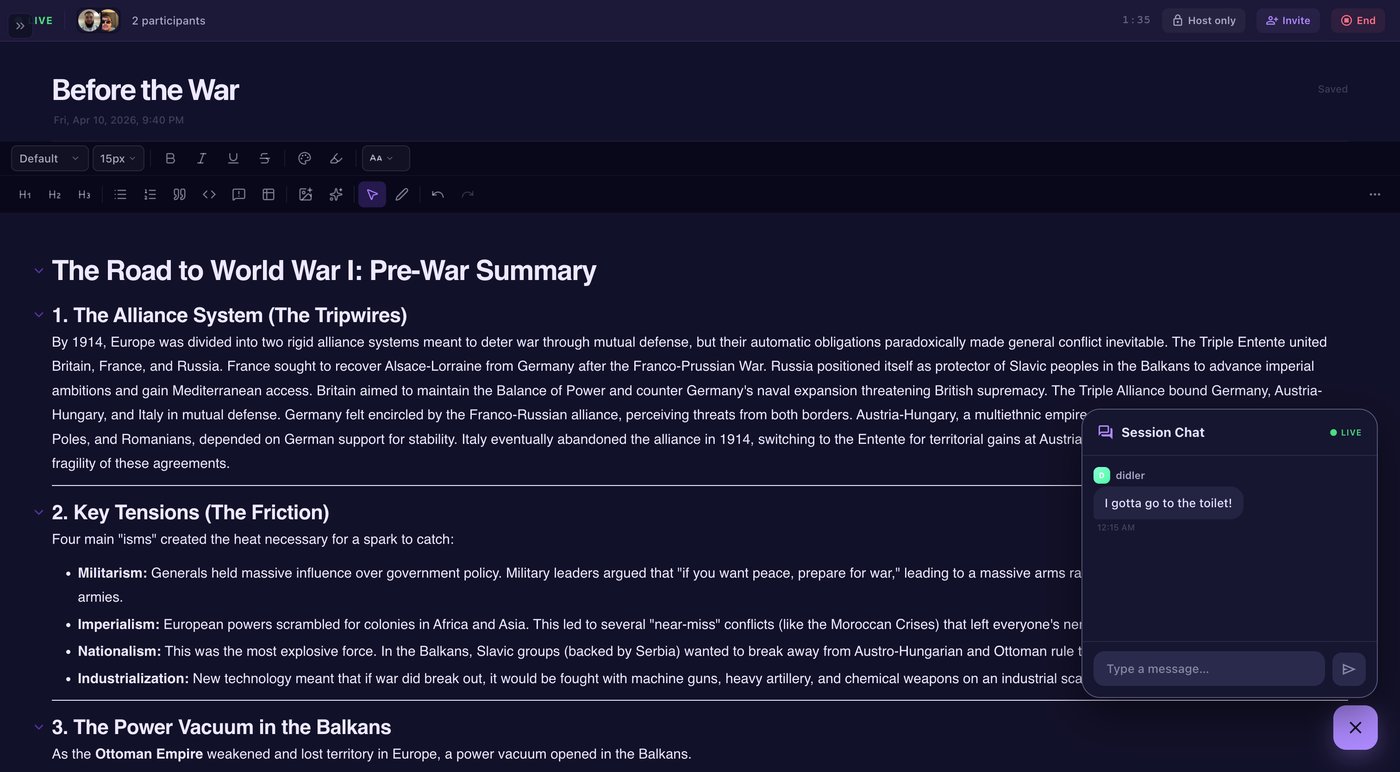
Real-time Collaboration
Socket.io co-work sessions with page locking to avoid conflicts.
Tech Stack
| Framework | Next.js 16 (App Router) |
|---|---|
| Frontend | React 19, Tailwind CSS 4 |
| Database | Supabase (PostgreSQL) + Prisma ORM |
| Auth | NextAuth.js |
| AI | Anthropic Claude SDK |
| Real-time | Socket.io (WebSocket server on DigitalOcean) |
| Editor | TipTap |
| Canvas | tldraw |
| Hosting | Hetzner + Coolify (web app) · DigitalOcean (WebSocket server) |
| EmailJS (automated transactional mails) | |
| CI | GitHub Actions |
Screenshots
Status
Notemage is under active development. Features are landing regularly; the repository on GitHub reflects the latest state. Reach out if you'd like a walkthrough.